Devices
On the Devices page you see all sensors and gateways in your workspace in a table, and you can add new ones.
Finding and filtering your devices
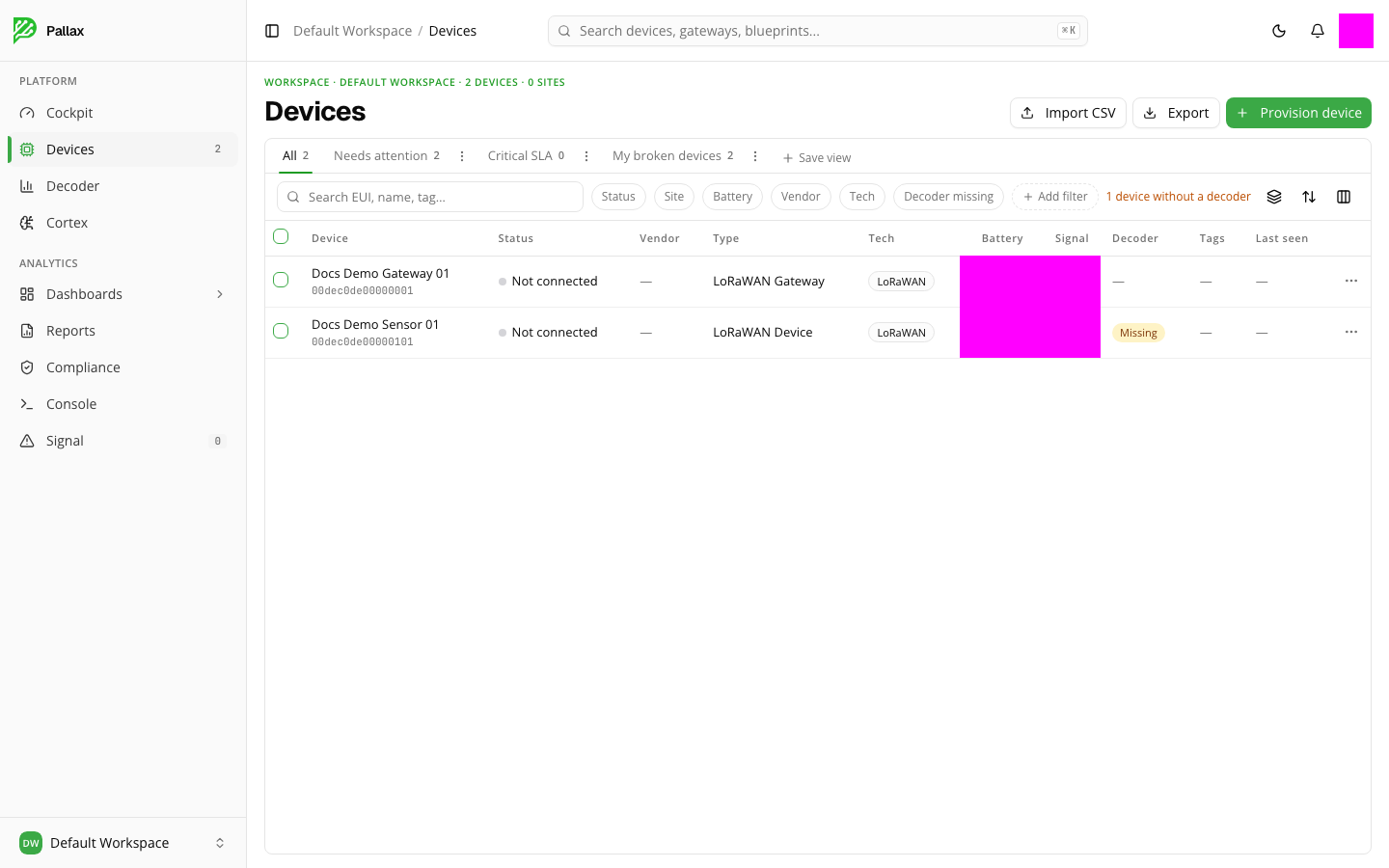
The tabs above the table switch you between All, Needs attention, Critical SLA, and My broken devices. You can also filter by status, location, battery level, manufacturer, or technology, or search specifically for devices without a decoder. Add filter lets you combine several conditions; Columns and Sort adjust the table to your own needs. A view you've put together can be saved for later via Save view.
The table itself shows, for each device, its name, status, manufacturer, type, technology, battery, signal strength, whether a decoder is assigned, tags, and when it was last online.
Provisioning a new device or gateway
The Provision device button opens a multi-step wizard. First you choose the radio technology (LoRaWAN or Mioty) and whether you want to provision a device (a sensor) or a gateway. How many gateways you can provision depends on your plan — if the limit is reached, the wizard points this out directly.
Alternatively, you can import several devices at once via Import CSV, or export the current list via Export.
Viewing details for a single device
Clicking an entry in the table opens that device's or gateway's detail page.
For a device, you'll see metrics such as battery level, signal strength, and reporting cadence there, plus the history of recent uplinks with raw and decoded values, and its own tabs for Data, Console, and Device information.
For a gateway, you'll find additional tabs for Certificates, Monitoring, Compliance, Remote command, and Audit. On the Certificates tab you can see which certificate Pallax has issued for this gateway. If a Pallax Agent is running on the gateway, it takes over the certificate automatically — downloading it isn't necessary then. Without an agent you connect the gateway manually: the page shows you the broker address for this, and a button to download the public certificate together with the certificate chain as a bundle (without the private key).
Installing and pairing the agent in detail: Pallax Agent. The complete step-by-step guide without the agent: Connecting a gateway without the agent.